
The HandyMCP changelog lists every release of HandyMCP and HandyMCP Pro, newest first. Free plugin updates come from WordPress.org, and Pro updates arrive in your WordPress dashboard like any other plugin update. Safe scheduled updates in Pro can install them for you.
The free plugin and Pro share the same version numbers. Need help after an update? See the HandyMCP docs.
Version 1.0.5
Latest- NewTheme builder. Create a block theme from a prompt and review it on a private preview link.
- New125 WP-CLI style commands, with no shell access needed.
- NewWPCode and Code Snippets support, with a safety check for PHP snippets.
- NewFull Wordfence control: blocks, unblocks, login activity and settings, all with undo.
- NewSetup checklist on the Connection screen.
- NewA notice when a newly installed plugin becomes available to AI apps, with no need to reconnect.
- NewElementor settings, features and maintenance mode, plus Elementor Pro form submissions, custom code and custom fonts.
- NewPolylang languages and string translations, UpdraftPlus schedules, Rank Math redirects and schema, and form entries for Ninja Forms, Fluent Forms, Forminator and Formidable.
- NewCreate and edit Fluent Forms forms, confirmations and email notifications, with undo.
- NewEssential Addons and Royal Elementor Addons widget control, and ElementsKit header and footer templates.
- NewEvery WooCommerce setting can be read and changed, plus tags, shipping classes, tax classes and clean-up of zones and rates.
- NewThe Connection screen shows when an AI app can no longer sign in and needs to reconnect.
- NewDelete a whole folder in one step, such as an unused theme or plugin, and delete single files of any type, such as images or archives left by malware. Everything can be undone. Active themes, active plugins and HandyMCP itself are protected.
- ImprovedWhite label is included in every Pro plan.
- ImprovedClient sites hub is faster with many sites, tracks each update to the end and sends a summary.
- ImprovedCoupons gain validation, more rules and undo.
- ImprovedThe approval screen only lists permissions for plugins that are installed.
- ImprovedReady for PHP 8.4 and 8.5.
- ImprovedSecurity hardening from an independent review: approval mode now also covers security, backup and site-wide template changes.
- ImprovedApps connected before Pro get a clear notice and get Pro permissions in one click, with no reconnect.
- FixedHub updates on sites behind Cloudflare or other bot checks.
- FixedAI apps could read security settings but not change them.
- FixedBlocked requests showed as errors in Activity.
- FixedTools that list and change (categories, gateways, emails, modules) were blocked in read-only mode and by hub network limits even when only reading.
- FixedSome on/off security settings and ACF keys were hidden as if they were secrets.
- FixedAI apps no longer get "not activated" on sites where a cache plugin kept an old copy of the license.
- FixedA replaced image now shows right away on every page, instead of the old one or a broken image.
Version 1.0.4
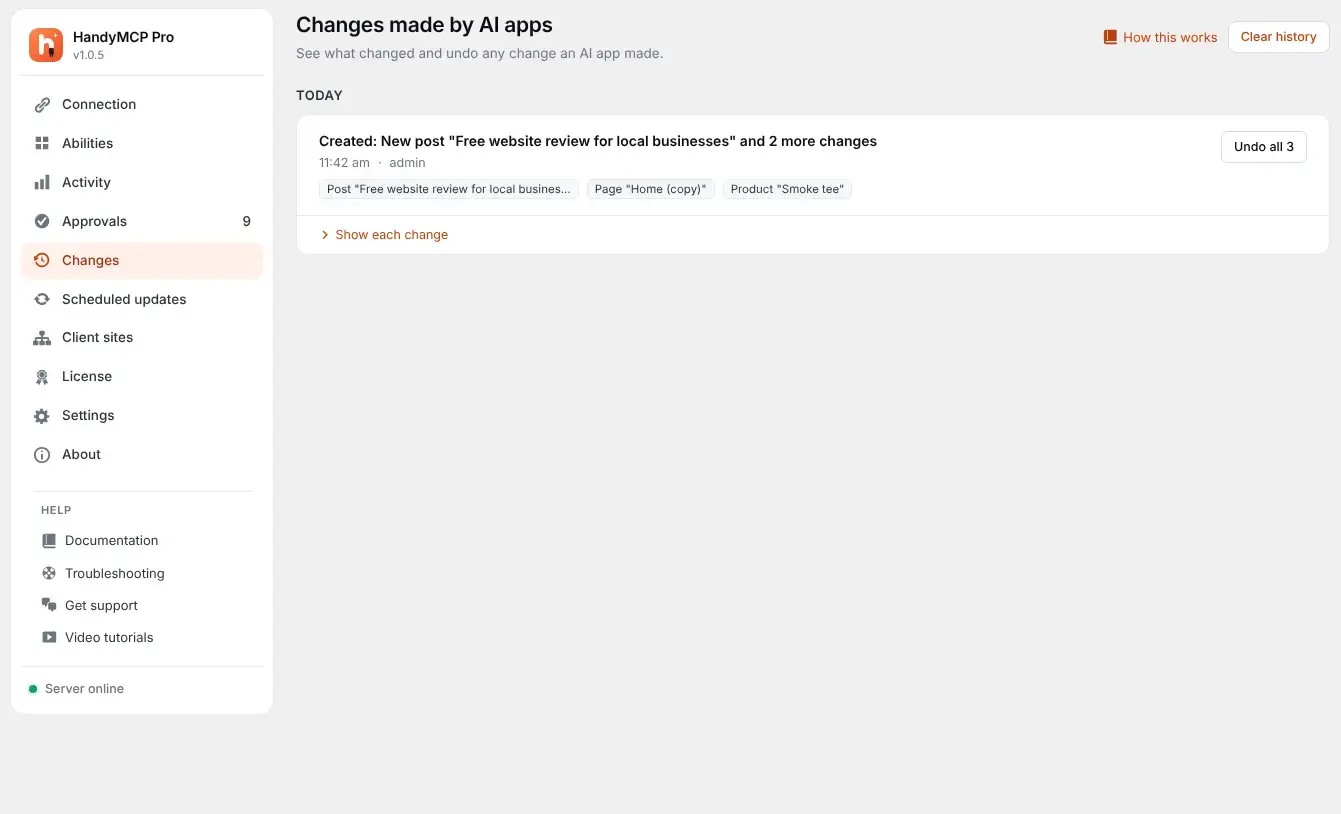
- NewChanges (was Undo history). Open any AI change to see each field before and now, with a side by side text comparison, then undo it if you want. AI apps can show you the same with the new history_changes tool.
- NewThe number of changes waiting for approval now shows next to HandyMCP and Approvals in the WordPress menu, and approved changes link to their before and after view.
- NewAI apps can read the Activity log (administrators only), so they can see why a change failed.
- NewCrop, resize, rotate, flip and convert images to WebP. The edited image is saved as a new copy, so the original stays safe.
- NewRebuild image thumbnails, for example after a theme change.
- NewReplace an image file and keep its URL, with a backup you can restore.
- NewUpload images straight from your ChatGPT chat, and resize or convert them as they upload.
- NewClear crash reports. When another plugin or theme breaks during a change, HandyMCP names it and the AI checks the result before trying again.
- ImprovedCommon argument mix-ups from AI apps (categories and tags, option names, op ids, batch steps, JSON text for objects) are understood instead of failing. Local and test sites no longer send error reports.
- ImprovedAI apps can make several edits to one file in a single step, open a page by its address, and preview a find and replace without a replacement. Batch accepts calls written the way most AI apps send them, and file search errors no longer show server paths.
- ImprovedScheduled updates now start from an admin request on your site, so premium plugins and themes that only check for updates in wp-admin (with your license) are updated too. Updates that are already installed are no longer offered again.
- ImprovedThe connection check now spots Cloudflare Zero Trust (Access) and shows how to let AI apps through.
- ImprovedAnonymous error reports remove more personal details, and the opt-in text lists everything that is sent.
- SecurityTools that change users can never change your own account, and a role change can never leave the site without an administrator.
- SecurityOn multisite, only network admins can turn on AI file edits.
- FixedUndoing a code file edit now warns when the file was changed again since, like pages do.
- FixedScheduled updates stay at the chosen local time after daylight saving changes.
- FixedWordPress core updates ask for confirmation, the logo and site icon must be images, menu deletes say they cannot be undone, and empty comment replies are refused.
- FixedPexels and Unsplash keys are no longer written into the settings page; the field shows the last 4 characters and keeps the key unless you paste a new one.
- FixedUndoing every change to a page now ignores changes that were already undone one by one, so the page really goes back to how it started.
- FixedAI apps get a clear reason when a tool is off limits (missing permission or connection access) instead of "unknown tool".
- FixedScheduled posts now publish at the right time when the AI sets a date.
- FixedCategory and tag IDs are no longer created as new terms named after the number.
Version 1.0.3
- NewFlatsome support. Read and edit UX Builder pages and UX Blocks element by element, build new pages, and customize the whole theme: header builder, footer, colors, fonts, layouts and every other Flatsome option, checked against the theme before saving. Also Nextend Social Login and YITH WooCommerce Wishlist settings.
- NewApproval mode. AI changes to published content are held in HandyMCP > Approvals with a summary, a text comparison and a live side by side preview on desktop and mobile. Approve, reject or approve all. Approved changes can still be undone. Optional email when changes are waiting.
- NewProtected pages. Choose pages AI apps may read but not change, or hold every change to them for approval.
- NewSite brief. Your voice, words to use and avoid, call to action and house rules, sent to every connected AI app.
- NewFix with AI. Row and bulk actions on Pages, Posts and Products open a small pop-up with ready-made jobs for the AI apps you have connected.
- NewHandyMCP Pro can now update itself from the client sites hub and from AI apps. It backs up first, updates with the WordPress upgrader, checks the site and puts the old version back if anything breaks.
- NewSEO checker. The AI can score any page out of 100 and see exactly what to fix, without opening the editor.
- NewWorks with ChatGPT and other apps that use the newest MCP version.
- NewConnect with an access token when sign-in is blocked by your host.
- ImprovedSign-in now works on SiteGround and other hosts that block it.
- ImprovedThe Connection check explains what blocks AI apps (firewalls, caches, security plugins) and how to fix it.
- ImprovedReset sign-in button clears old app connections in one click.
- FixedSmaller fixes to several tools.
Version 1.0.1
- NewThe AI can now change site-wide SEO settings in Rank Math, Yoast, All in One SEO, SEOPress and The SEO Framework: titles, schema, social images, sitemaps and category SEO.
- NewOpen a support ticket right from the plugin. A fresh connection report and recent errors are attached for you.
- NewOptional, anonymous error reports to help us fix problems faster. Off until you say yes.
- NewThe connection check runs by itself and turns green when everything works. Each failed check links to its fix.
- NewDocumentation, Troubleshooting and Get support links in the plugin sidebar and on the Plugins screen.
- ImprovedClearer notice when a license expires. Everything keeps working; only updates and support pause until you renew.
- ImprovedFriendlier handling of common argument mistakes from AI clients, such as focus keyword names.
- ImprovedClearer Application Passwords notice when a security plugin turns them off.
- Fixed"How this works" links in Settings now open the right guide for each sub tab.
Version 1.0.0
- First release of HandyMCP Pro: 260+ tools for every major page builder, WooCommerce, SEO, safe scheduled updates with rollback, malware cleanup, white label and the Agency client sites hub.
HandyMCP changelog questions
Does the HandyMCP changelog cover the free plugin and Pro?
Yes. Both share version numbers, so each release here covers both. Features that need Pro are marked Pro in the plugin and on the pricing table. The official changelog for the free plugin is also on the WordPress.org plugin page.
Will an update change my settings?
No. Updates keep your settings, connected apps and history. Since 1.0.2, updates never add new permissions to existing connections.
How do I update HandyMCP?
Go to Dashboard, then Updates, and update HandyMCP like any other plugin. Pro users can also turn on safe scheduled updates, which back up first and roll back if anything breaks.
Not using HandyMCP yet? Get HandyMCP free, or start a 7-day Pro trial from the pricing section.