
WordPress AI prompts that just work.
Ready-made prompts for every HandyMCP feature: pages, content, WooCommerce, forms, updates, malware cleanup and more. Copy one, paste it into Claude, ChatGPT or Cursor, and change the details to fit your site.
- 1
Connect your site
Install HandyMCP and add your site to your AI app. Setup guide
- 2
Copy a prompt
Pick a category below. Prompts marked Pro need HandyMCP Pro.
- 3
Make it yours
Swap in your page names, products and dates, then send. Every change can be undone.
Build and edit pages with the builder you already use. Elementor and Gutenberg are free; WPBakery, Divi, Beaver Builder and Avada need Pro.
-
Free
Build a landing page for my webinar with Elementor as a draft. Use my brand colors and fonts, and add a hero, three benefits, a speaker bio and a sign-up button.
-
Free
Redesign the About page as a new draft. Keep the live page exactly as it is until I approve.
-
Free
On the Home page, change the hero button text to "Book a call" and link it to /contact/.
-
Free
Make the pricing section on the Services page look better on phones: stack the cards and reduce the heading size.
-
Free
Copy the style of the testimonial section on the Home page to the testimonial section on the About page.
-
Pro
Create a site-wide header and footer with Elementor Pro Theme Builder and show the footer on every page.
-
Pro
Rebuild the Services page in Divi with the same content as the current WPBakery version, as a draft.
Write, edit and optimise posts and pages. Works with Yoast SEO and Rank Math.
-
Free
Write a 1,200 word blog post about how to choose a dentist, in a friendly tone, with H2 headings and an FAQ. Save it as a draft.
-
Free
Write SEO titles and meta descriptions for every page that is missing one. Show me a table before you save.
-
Free
Set the focus keyword "emergency plumber Leeds" on the Services page and improve the first paragraph to include it naturally.
-
Free
Find every post that mentions "2024 prices" and update the wording to 2026.
-
Free
Schedule the three newest drafts to publish next Monday, Wednesday and Friday at 9 AM.
-
Free
Add a menu item "Blog" to the main menu, after "About".
-
Pro
Translate the Services page into Spanish with WPML and link the translations.
Products, prices, stock and categories are free. Orders, refunds, coupons, variations and reports need Pro.
-
Free
Which products are low on stock? List them with the current stock and price.
-
Free
Raise the price of every product in the Hoodies category by 10 percent and round to .99.
-
Free
Write better product descriptions for the five newest products. Keep the facts, make them easier to read.
-
Free
Show me the last 10 orders and their status.
-
Pro
Put all hoodies on a 15 percent sale until Sunday midnight.
-
Pro
Create a 10 percent coupon for first orders, valid this month, one use per customer.
-
Pro
Refund order #1042 in full and add a note that the item arrived damaged.
-
Pro
What were my best selling products last month, and how do sales compare with the month before?
Create and edit Contact Form 7 and WPForms forms. Read entries from every major form plugin.
-
Free
Create a contact form with name, email, phone, budget (dropdown) and message, and add it to the Contact page.
-
Free
Add a required "Company" field to the quote form, after the email field.
-
Free
Show me the form entries from the last 7 days and summarise what people are asking for.
-
Pro
Change the notification email of the Gravity Forms quote form to [email protected].
Find free stock photos, upload images and fix image SEO.
-
Free
Find a free photo of a modern dental clinic and use it as the hero image on the Home page.
-
Free
Find every image without alt text and write a short, descriptive alt text for each one.
-
Free
Rename the titles of the last 20 uploaded images so they describe what is in the picture.
-
Free
Add a simple calendar icon as SVG and use it in the Services icon box.
Safe updates check each plugin, make a backup first and roll back on their own if the site breaks.
-
Pro
Which plugins, themes and WordPress core updates are waiting? Tell me which ones are security fixes.
-
Pro
Update all plugins safely, one by one, and roll back anything that breaks the site.
-
Pro
Schedule safe updates every Monday at 3 AM, skip WooCommerce, and email the report to me.
-
Pro
Make a backup of the site files and database before I change the theme.
-
Pro
Deactivate plugins nobody uses and list what each one did.
Scan files and the database, show what was found, and clean it up only after you approve.
-
Pro
Scan all theme and plugin files for malware, backdoors and suspicious code, and show me what you found before changing anything.
-
Pro
Search the database for injected scripts, spam links and hidden iframes in posts, options and widgets.
-
Pro
Check if any WordPress core files were changed compared with the official version.
-
Pro
My site shows Japanese spam in Google. Find the cause, clean it up and tell me what to do next.
-
Pro
List all admin users, when they last logged in, and remove the ones nobody recognises.
-
Pro
Clean the infected files you found, keep a backup of each one, and scan again to confirm.
Find what slows the site down and fix page issues before visitors notice.
-
Pro
Audit the Home page: headings, image alt text, broken links and SEO title. Fix what you can.
-
Pro
Why is my site slow? Check the cache plugin, the heaviest pages and the largest images.
-
Pro
Turn on page caching and lazy loading in my cache plugin, then purge the cache.
-
Pro
Replace every link to old-domain.com with new-domain.com across the database. Show me a preview first.
Edit theme and plugin files safely. Every change is checked, backed up and undone automatically if the site breaks.
-
Pro
In my child theme, add a small function that hides the admin bar for subscribers.
-
Pro
Add Google Tag Manager to every page with container GTM-XXXXXXX.
-
Pro
There is a PHP error on the Checkout page. Find the file that causes it and fix it.
-
Free
Add custom CSS so all buttons have rounded corners of 12px.
Manage every client site from one chat, with your own brand on the plugin.
-
Pro
Check all my client sites and list the ones with pending updates or errors.
-
Pro
Run safe updates on every client site tonight and send me one report.
-
Pro
Rename the plugin to "Acme Site Assistant" with our logo in the client dashboard.
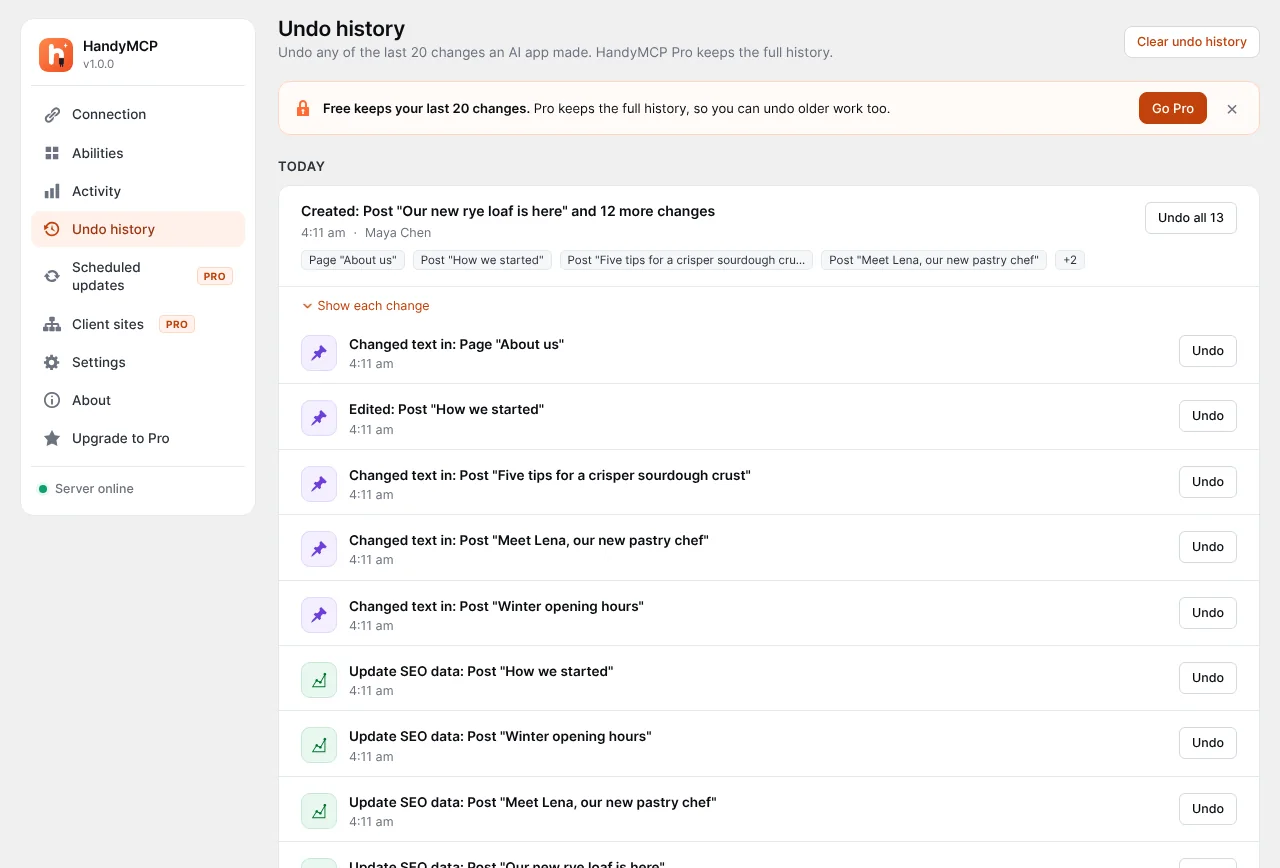
Every change is saved before it happens. Undo one change or a whole task.
-
Free
Undo the last change you made.
-
Free
Show me everything you changed today, grouped by task.
-
Free
Put the About page back the way it was this morning.
No prompts match. Try another word, or ask us for one.
Tips for better results
- Name the page or product. "The Services page" works better than "that page".
- Say if it should be a draft. Redesigns are saved as drafts by default, so your live page stays safe.
- Ask for a plan first on big jobs. "Tell me what you would change before you change it."
- Changed your mind? Ask "undo the last change", or use Undo history in WordPress.
New to HandyMCP? Start with the setup guide.