
Running a WooCommerce store means a lot of small, repetitive jobs. Update stock. Fix a price. Rewrite twenty product descriptions. Check what was in an order. A WooCommerce MCP server lets you ask an AI app to do those jobs in plain words, right from a chat.
HandyMCP is a WordPress plugin that turns your site into an MCP server. Claude, ChatGPT, Cursor and other AI apps connect directly to your store, with no relay in between, no API keys to juggle and no usage fees.
Quick answer: A WooCommerce MCP server gives AI apps tools to read and edit your store. With HandyMCP, Claude or ChatGPT can list and edit products, prices, stock and categories and look up orders, signed in with your own WordPress account. Bulk changes over 10 products ask first, customer details are masked, and every edit can be undone.
No limits: no daily caps, no credits, no product limits and no per-call fees, on the free plugin and on Pro. Manage ten products or ten thousand.
What a WooCommerce MCP server does
MCP (Model Context Protocol) is the open standard AI apps use to call tools. A WooCommerce MCP server exposes tools like “list products”, “update this product’s price” or “show low stock”. The AI picks the right tool, calls it on your site and tells you what changed.
WooCommerce has a REST API, but wiring an AI to it usually means creating API keys, running a separate server on your computer and hoping those keys stay safe. HandyMCP skips that. The MCP server lives inside WordPress, the AI signs in with your WordPress account through OAuth or a personal access token, and it can only do what your role allows. WooCommerce also has official MCP work of its own; check their current docs for its status.
What you can do in the free plugin
- List, read, create and edit products.
- Change price, sale price, stock, SKU, description and images.
- Create and organise product categories.
- List orders and look up a single order.
- Run a low stock report.
- Write product SEO titles and descriptions in Yoast or Rank Math.
- Find and add stock photos from Unsplash or Pexels with your own free key.
How it works
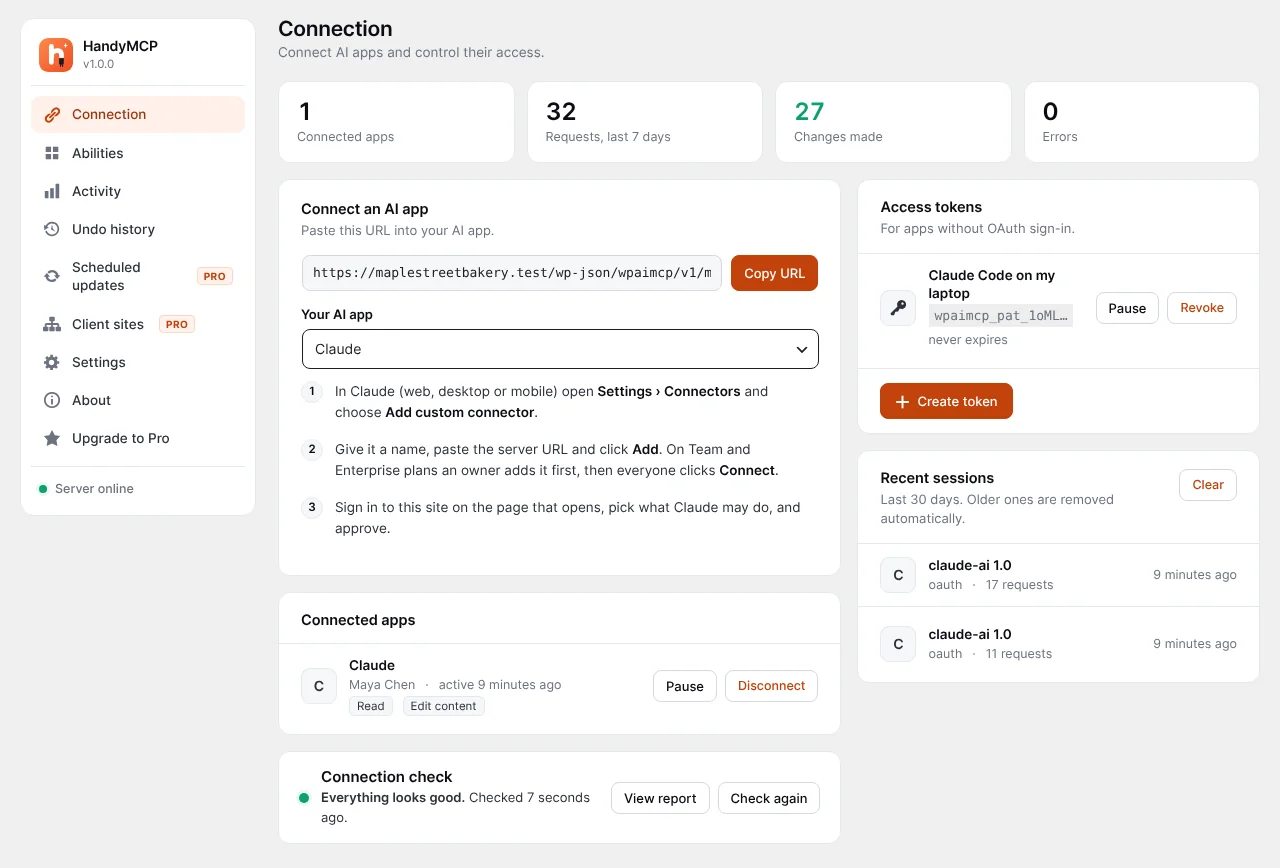
- Install and connect. Add https://your-site.com/wp-json/wpaimcp/v1/mcp to your AI app.
- Sign in on your own site. A consent page lets you pick scopes: read only, edit content, manage the store or manage the site.
- Ask. “Which products are out of stock?”
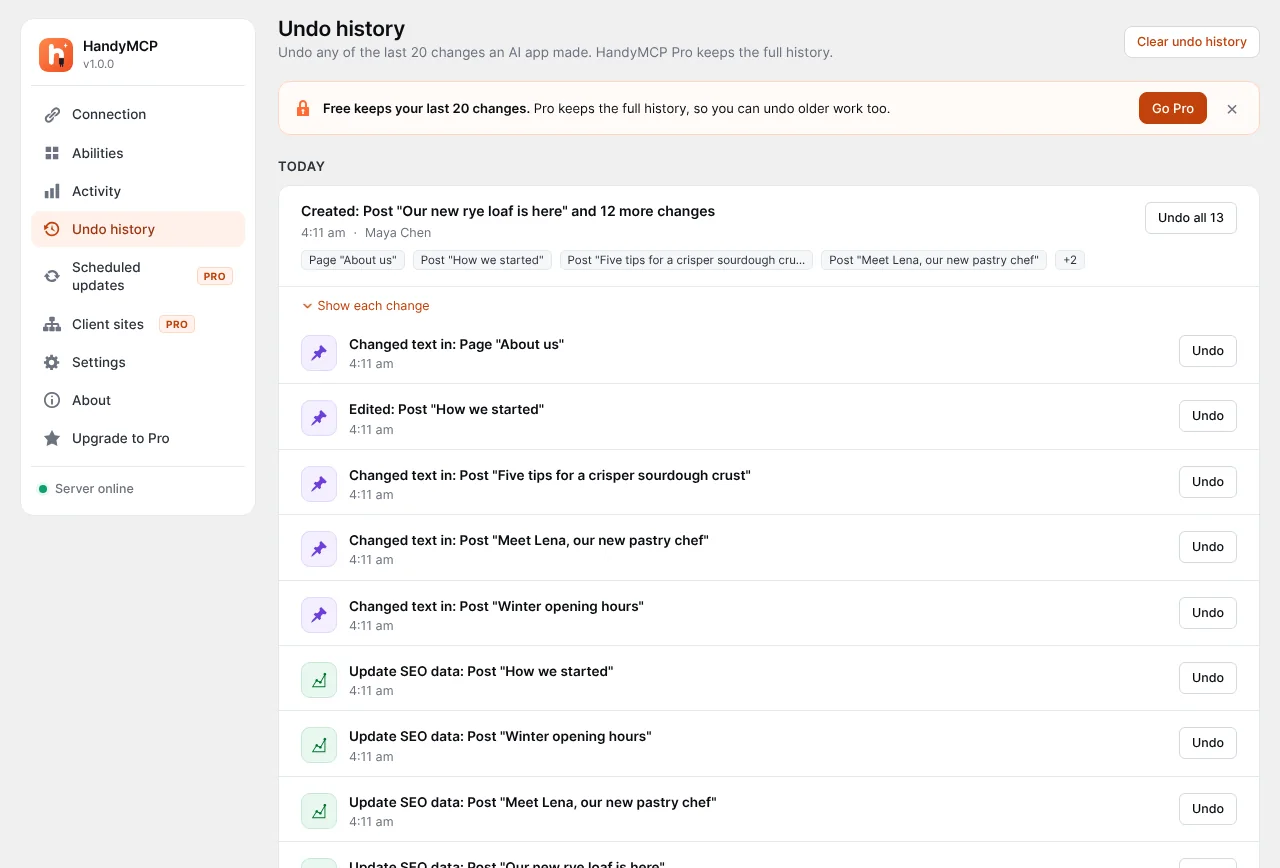
- The AI calls store tools. HandyMCP checks your permissions, saves the current product data, then makes the change.
- Review and undo if needed. Every change is logged and can be reversed.
Use cases with real prompts
Stock checks
“Show me the ten products with the lowest stock and their SKUs.”
Price and sale updates
“Set the sale price of the Linen Apron to 18 and the Canvas Tote to 22.” For percent-based bulk price updates across a category, you need Pro.
Description rewrites
“Rewrite the descriptions for the candle collection in a short, friendly tone and fix their SEO titles.” See bulk edit WooCommerce products with Claude.
Category clean-up
“Create a Gifts Under 30 category and move every product under 30 into it.”
Order look-ups
“Find order 1042 and tell me what was in it and its status.”
New products
“Create a draft product called Ceramic Mug, price 14, SKU MUG-01, stock 40, with a short description.”
More ideas on the prompts page.
WooCommerce MCP options compared
Features change quickly, so check each option’s current page.
| HandyMCP | REST API with a local MCP server | Hosted relay plugins | |
|---|---|---|---|
| Where it runs | On your WordPress site | On your computer | Through a vendor server |
| API keys to manage | No, OAuth or tokens | Yes | Varies |
| Vendor account or usage fee | No | No | Usually |
| Undo for product edits | Yes | No | Varies |
| Bulk change confirmation | Yes, over 10 products | No | Varies |
| Customer data masking | Yes | No | Varies |
| Also edits pages, SEO, Elementor | Yes | No | Varies |
For a wider look, read MCP adapter vs plugins vs relays.
Set it up
- Check requirements: WordPress 6.2+, PHP 7.4+, HTTPS, WooCommerce active and an administrator account.
- Install HandyMCP using the install guide.
- Open HandyMCP > Connection, copy the server URL and run the connection check.
- Add the URL in your app. Claude: Settings > Connectors > Add custom connector. ChatGPT: Settings > Apps, turn on Developer mode and create an app. Menu names can change. See connect your app.
- Pick “manage the store”, or start with read only while you test.
- Ask a read-only question first, like “list my five newest products”.
Safety on a real store
- Bulk changes ask first. Changing more than 10 products needs your confirmation.
- Undo for every edit. Prices, stock and descriptions are saved before each change. See undo AI changes.
- Customer data masked. Emails and phone numbers are masked in lists the AI reads.
- Secrets never returned. Payment gateway keys and API keys stay hidden.
- Role limits. Only Administrators can connect by default, and each user can only do what their role allows.
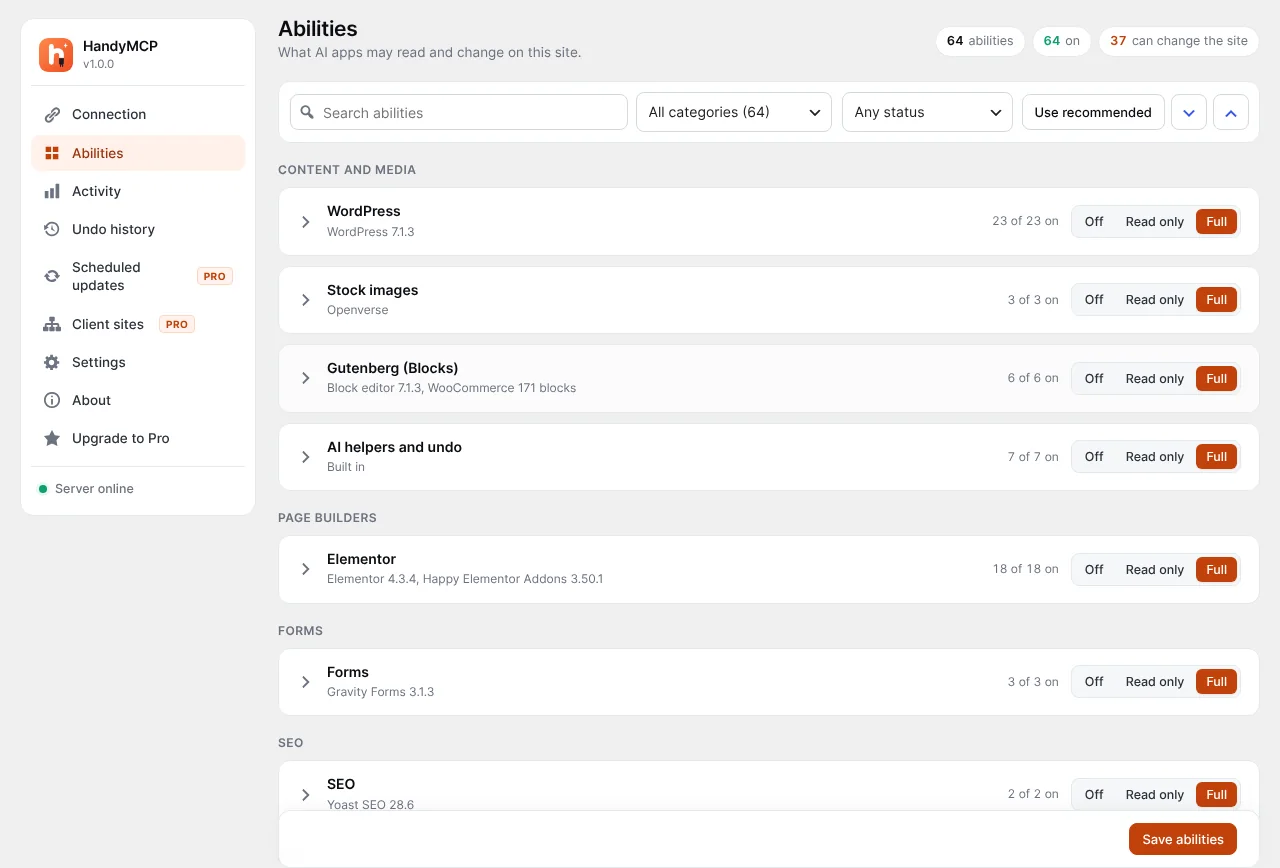
- Tool control. Switch the store tools off, or run read only.
- Activity log. Every request lists the product or order it touched.
- No raw SQL or arbitrary PHP tools.
Common mistakes and troubleshooting
- Vague filters. “Update the summer stuff” may catch the wrong products. Name the category or tag.
- Skipping the preview. Ask the AI to list matching products before changing them.
- Read only scope. If edits fail, check you granted “manage the store”.
- Stale prices on the front end. Purge the cache after big changes.
- Variable products. Variations need Pro.
More help in troubleshooting.
Free vs Pro
| Feature | Free | Pro |
|---|---|---|
| List, create and edit products | Yes | Yes |
| Price, sale price, stock, SKU, images | Yes | Yes |
| Product categories | Yes | Yes |
| List and look up orders | Yes | Yes |
| Low stock report | Yes | Yes |
| Variations and attributes | No | Yes |
| Coupons, refunds and customers | No | Yes |
| Reviews and sales reports | No | Yes |
| Bulk price updates by percent | No | Yes |
| Store settings and Easy Digital Downloads | No | Yes |
| Undo history | Last 20 changes | Full history |
See pricing. Every plan has a 14-day money-back guarantee.
Frequently asked questions
Is there an MCP server for WooCommerce?
Yes. WooCommerce has its own MCP work, and HandyMCP adds an MCP server inside your WordPress site so Claude or ChatGPT can manage products and orders without API keys.
Can ChatGPT update my WooCommerce products?
Yes. Connect ChatGPT to HandyMCP as an app in Developer mode, approve store access, and ask it to update products, prices or stock.
Can the AI see my customers’ details?
Emails and phone numbers are masked in lists. The AI only sees what your role allows, and you can turn store tools off.
Can I undo a price change?
Yes. Every product change is saved first, so you can undo one product or a whole task.
Does it work with variable products?
Simple products work in the free plugin. Variations and attributes need Pro.
Will it change hundreds of products by mistake?
Changes to more than 10 products need your confirmation first, and the whole task can be undone.
Do I pay per request?
No. HandyMCP runs on your own site with no usage fee or limits.
Install HandyMCP free and connect your store in a few minutes.