
If you want Claude, ChatGPT or Cursor to work on a WordPress site, you need an MCP server between the AI app and your site. There are three common ways to get one in 2026: the official WordPress MCP Adapter, a full MCP plugin that runs on your own site, or a hosted relay that sits in the middle. They all speak the same protocol, but they suit very different people.
This guide explains how each option works, what it costs you in setup time, control and privacy, and how to pick. We publish HandyMCP, which is a full MCP plugin, so keep that in mind as you read. We have tried to describe the other options fairly, and you should check each project’s current page before you decide.
Quick answer: The WordPress MCP Adapter is a developer building block that turns Abilities API abilities into MCP tools, so you get only the tools you or other plugins register. A full MCP plugin runs on your site and ships ready tools plus permissions, logging and undo. A hosted relay routes the connection through a third party server, which is quick to start but adds an account and often a usage fee. Site owners and agencies usually want a full plugin; developers building custom features often start with the adapter.
What MCP is and why the choice matters
MCP (Model Context Protocol) is an open standard that lets AI apps call tools on other systems. On WordPress, a tool might be “get this post”, “update this Elementor widget” or “set the SEO title”. The AI app decides which tool to call, and the MCP server on the other side does the work. If MCP is new to you, read what MCP is and how it works with WordPress first.
The choice of server matters because it decides three things:
- What the AI can do. A server with ten tools gives you ten actions. A server with hundreds covers builders, WooCommerce, SEO and more.
- Who sees your data. A server on your own site keeps requests between the AI app and your site. A relay adds another company to that path.
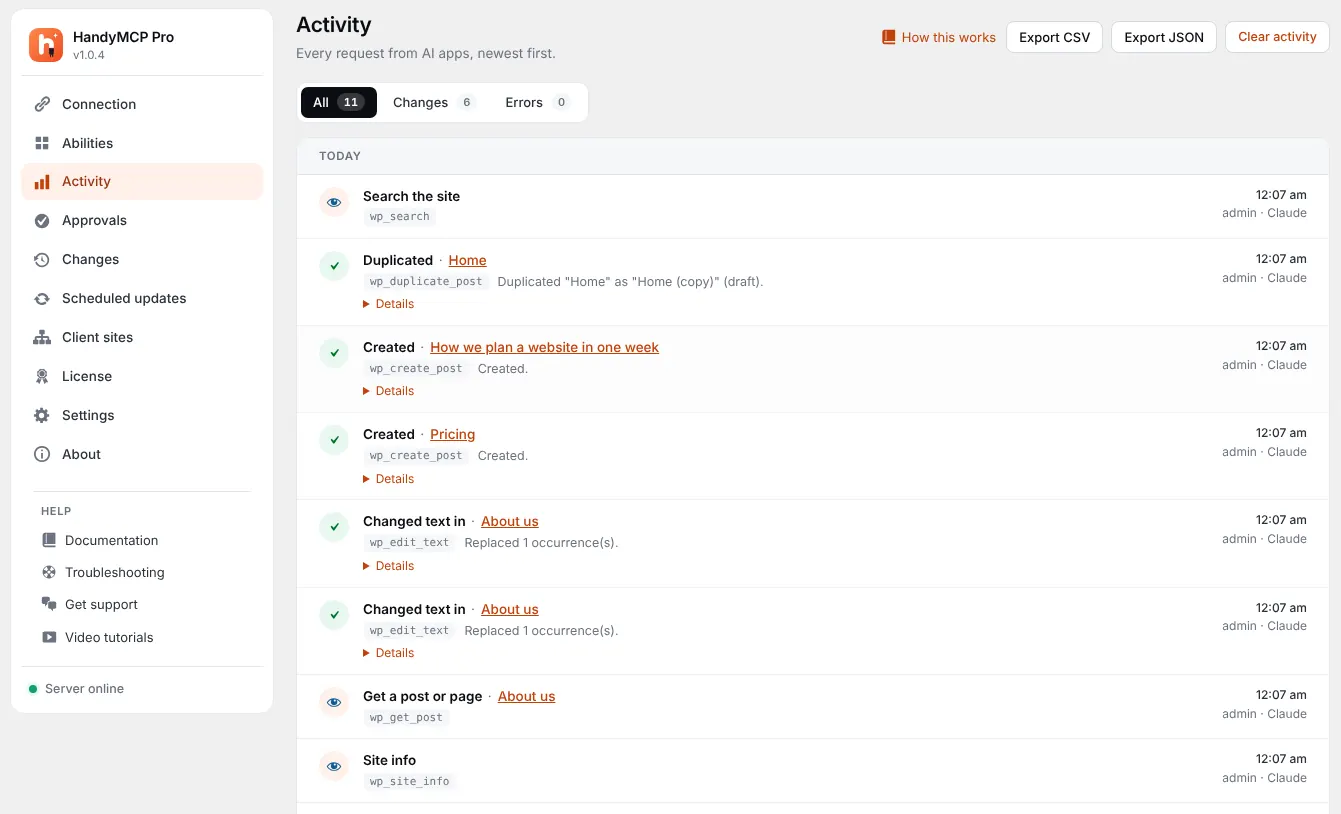
- How safe it is on a live site. Undo, read only mode, confirmation for destructive actions and an activity log are not part of the protocol. The server has to provide them.
Option 1: The official WordPress MCP Adapter
The WordPress core team announced the MCP Adapter on developer.wordpress.org in February 2026. It is built on the Abilities API, which lets plugins and themes register “abilities”: described, permission-checked actions. The adapter takes those abilities and exposes them as MCP tools.
Who it suits
The adapter is a great fit if you are a developer and you want to decide exactly which actions exist. You write an ability, describe its inputs and outputs, set the capability check, and it becomes a tool the AI can call. Because it is an official project, it is likely to become the common base other plugins build on.
Trade-offs
- Out of the box you get the abilities that are registered on your site, which may be few.
- Page builder editing, deep WooCommerce work, SEO plugin fields and forms depend on someone registering abilities for them.
- Undo history, an activity screen, read only switches and per-app setup steps are up to you or other plugins.
Treat the adapter as plumbing. It is excellent plumbing, but you still have to fit the kitchen.
Option 2: A full MCP plugin on your own site
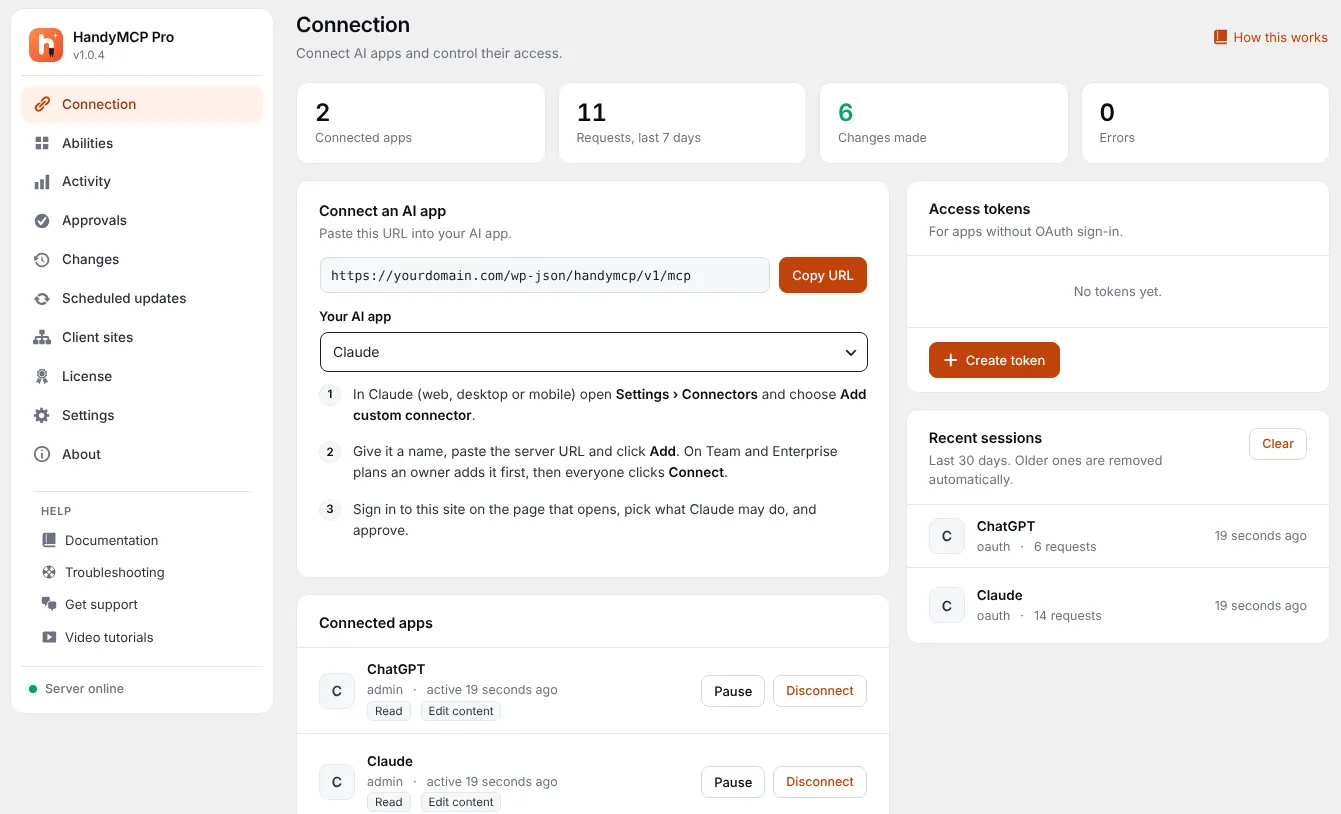
A full MCP plugin turns your site into an MCP server and comes with tools ready to use. HandyMCP is one example. You install it, open HandyMCP > Connection, copy the server URL (https://your-site.com/wp-json/handymcp/v1/mcp) and add it to your AI app. Other plugins in this group include Royal MCP, Easy MCP AI by Themeisle, Cowboy MCP, and the MCP server inside AI Engine by Meow Apps. Each has a different tool set, so compare their current pages. Our roundup of the best WordPress MCP plugins goes deeper.
What you get with HandyMCP
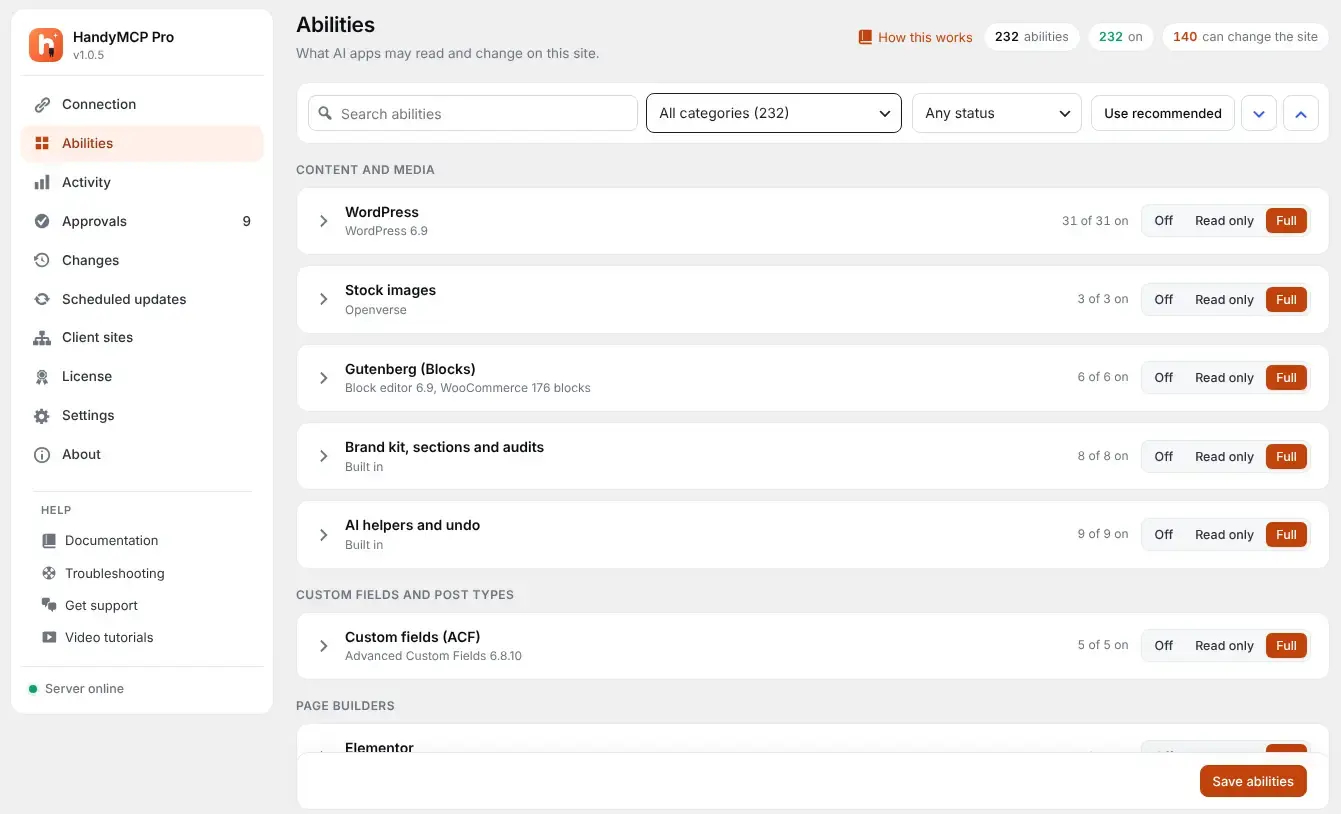
- 80+ tools in the free version: posts, pages, menus, media, Gutenberg blocks, Elementor editing, Yoast or Rank Math SEO fields, categories and tags, WooCommerce basics, Contact Form 7 and WPForms.
- Pro adds other builders, Elementor Pro Theme Builder, full WooCommerce, SEO audits, plugin updates, malware scanning and more (260+ tools).
- Sign-in with OAuth 2.1 and PKCE on a consent page on your own site, or personal access tokens that are stored hashed.
- No relay, no vendor account and no usage limits. The AI app talks to your site directly.
It works with the adapter, not against it
HandyMCP can list and run abilities that other plugins register through the Abilities API. So if a plugin you use adds its own abilities, you can still reach them through the same connection. You get the ready tools and the open standard together.
Trade-offs
- You rely on the plugin’s choice of tools and how well they are built.
- Another plugin on your site means another thing to keep updated.
Option 3: A hosted relay
A hosted relay puts a cloud service between the AI app and your site. You install a small connector plugin, create an account with the service, and the AI app connects to the service’s URL. The service then forwards requests to your site. WPVibe is one example, and it asks for approval before destructive actions. Check its current page for details.
Who it suits
Relays suit people who want a managed experience and do not mind a third party in the loop. Some relays add their own dashboard, approvals and team features on top.
Trade-offs
- Your content and requests pass through another company’s servers.
- You need an account, and many relays charge by usage or plan.
- If the relay is down, your connection is down, even if your site is fine.
Side by side comparison
| Question | MCP Adapter | Full MCP plugin | Hosted relay |
|---|---|---|---|
| Where the server runs | Your site | Your site | Vendor cloud plus your site |
| Tools out of the box | Only registered abilities | Many, ready to use | Depends on vendor |
| Third party account | No | No (HandyMCP) | Yes |
| Usage fees | No | No usage fee (HandyMCP) | Often |
| Undo and activity log | Build your own | Usually included | Depends on vendor |
| Setup effort | Developer work | Minutes | Minutes |
| Best for | Developers | Site owners, agencies | Hands-off users |
Security and privacy compared
Whatever you pick, ask the same questions:
- How do apps sign in? Look for OAuth with scopes or revocable tokens. HandyMCP never accepts cookie login on the MCP endpoint, and by default only Administrators can connect.
- Can I limit what the AI does? HandyMCP lets you switch off tool groups or single tools, or turn on read only mode.
- Are destructive actions confirmed? In HandyMCP they need explicit confirmation after you agree.
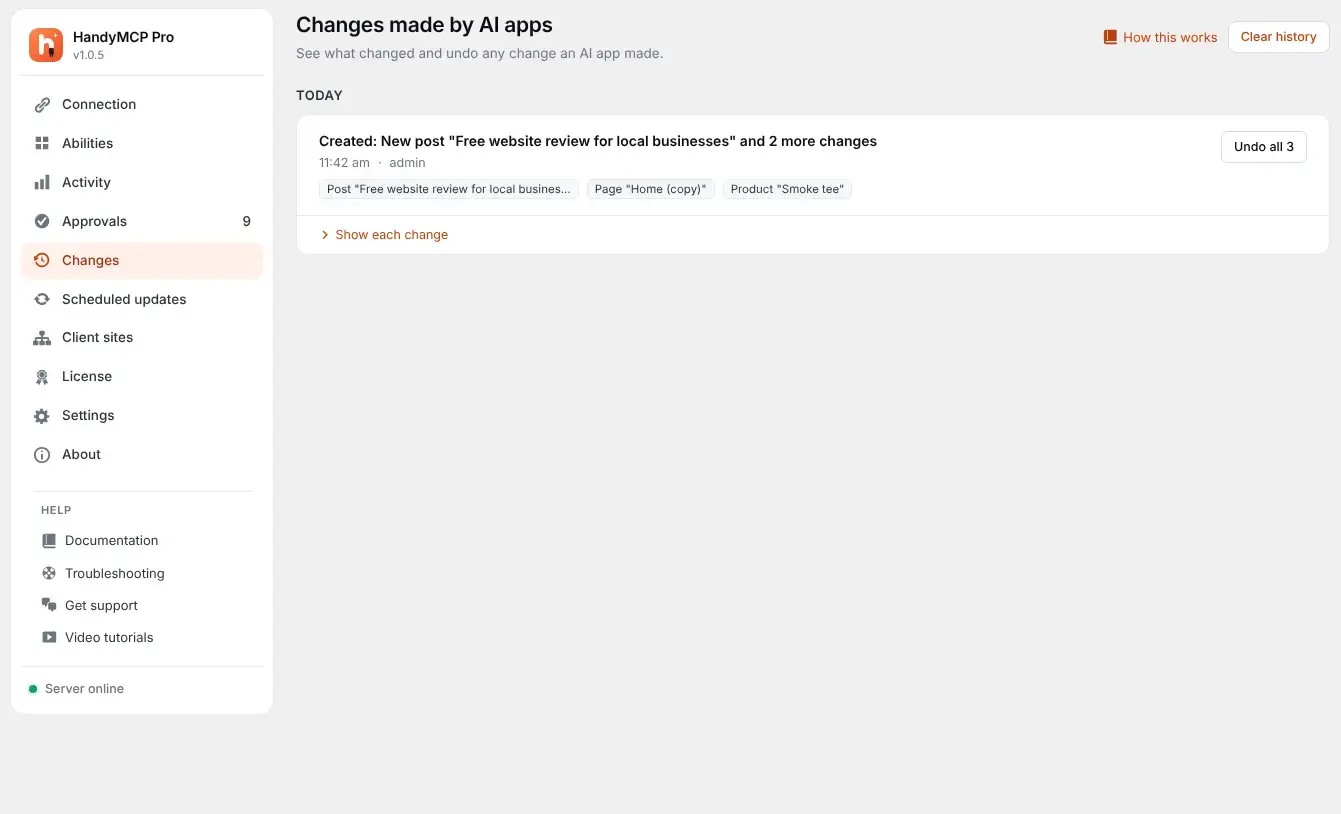
- Can I undo? Every HandyMCP change is saved first and returns a history ID. Free keeps the last 20 changes; Pro keeps full history. See how to undo AI changes in WordPress.
- Are secrets protected? API keys and payment gateway keys are never returned, and site content is treated as data, not instructions.
For a full look at the risks, read is it safe to let AI edit a live WordPress site.
How to choose: a simple decision path
- Do you want to write code? If yes, and you want full control over each action, start with the MCP Adapter.
- Do you edit real client or business sites? If yes, pick a full plugin with undo, read only mode and an activity log.
- Is a third party in the path acceptable? If yes and you like a managed service, a relay can work. If not, stay self-hosted.
- Do you use Elementor or WooCommerce? Check that the tools you need exist before you commit. Elementor also has its own MCP in beta, which needs the Atomic Editor, and WooCommerce has official MCP work under way.
Setting up the self-hosted plugin route
- Check the requirements: WordPress 6.2+, PHP 7.4+, HTTPS and an administrator account.
- Install HandyMCP (see install steps).
- Open HandyMCP > Connection and copy the server URL.
- Add it to your app. Guides: Claude, ChatGPT, Cursor. Menu names can change, so follow the steps shown on the Connection screen.
- Run the connection check, then try a read only prompt like “List my five most recent drafts”.
Common mistakes
- Picking the adapter and expecting a finished product. It is a base, not a full toolkit.
- Ignoring where data flows. If you handle client or customer data, know whether a relay sees it.
- Running two MCP servers with overlapping tools. The AI may pick the wrong one. Turn off groups you do not need.
- Skipping undo. Test on a staging site or make sure every change can be reverted.
Troubleshooting connections
Most problems are the same whichever route you pick: HTTPS issues, security plugins blocking REST requests, caching layers stripping the Authorization header, or a wrong URL. Our WordPress MCP not connecting fixes guide and the troubleshooting docs cover each one.
Next steps
If you are a developer, read the adapter announcement and register a test ability. If you run sites, install the free version of HandyMCP, connect one app and try a few safe prompts from our prompt library. When you need more builders or full WooCommerce, compare plans on the pricing section.
Frequently asked questions
Is the WordPress MCP Adapter part of WordPress core?
It is an official project from the WordPress team, built on the Abilities API and announced in February 2026. Check the announcement and its repository for its current status and how it ships.
Does HandyMCP work with the Abilities API?
Yes. HandyMCP can list and run abilities that other plugins register, alongside its own tools.
Is a hosted relay less secure?
Not always. A well run relay can be safe. It does add a third party that handles your requests, while a self-hosted server lets the AI app talk to your site directly.
Can I use the adapter and a full plugin together?
You can, but avoid duplicate tools that do the same job. With HandyMCP you can reach registered abilities through its own connection, which keeps things simple.
Which option is cheapest?
The adapter and HandyMCP Free have no usage fee. Relays often charge by usage or plan. Your real cost with the adapter is developer time.
Do I need a vendor account for HandyMCP?
No. It runs on your site with no relay and no vendor account. Pro is a licence you buy, not a hosted service.
Which AI apps can connect?
Any MCP client, including Claude, ChatGPT, Claude Code, Cursor, VS Code, Windsurf and Gemini CLI.
Ready to try the self-hosted route? Follow the install guide and connect your first app in a few minutes.