
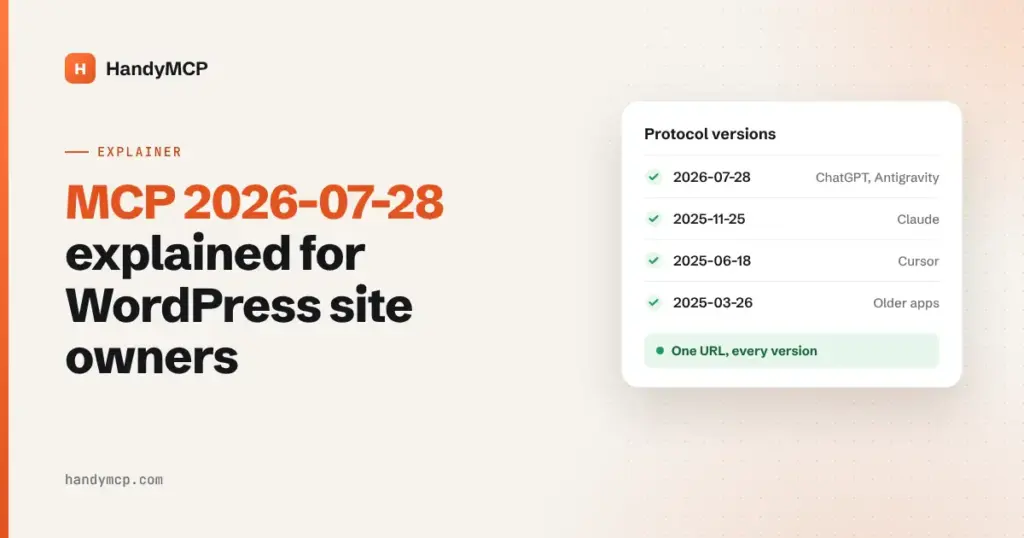
If your WordPress site suddenly stopped working with ChatGPT or Google Antigravity, while Claude kept working fine, the reason is probably not your site. It is MCP 2026-07-28, a new version of the protocol AI apps use to talk to it.
MCP (Model Context Protocol) is the open standard behind every “connect your AI app to WordPress” setup. In July 2026 a new version came out, dated 2026-07-28. Some AI apps switched to MCP 2026-07-28 quickly, others have not yet, and several WordPress MCP plugins broke in between. This guide explains what changed and what you should check, without the technical jargon.
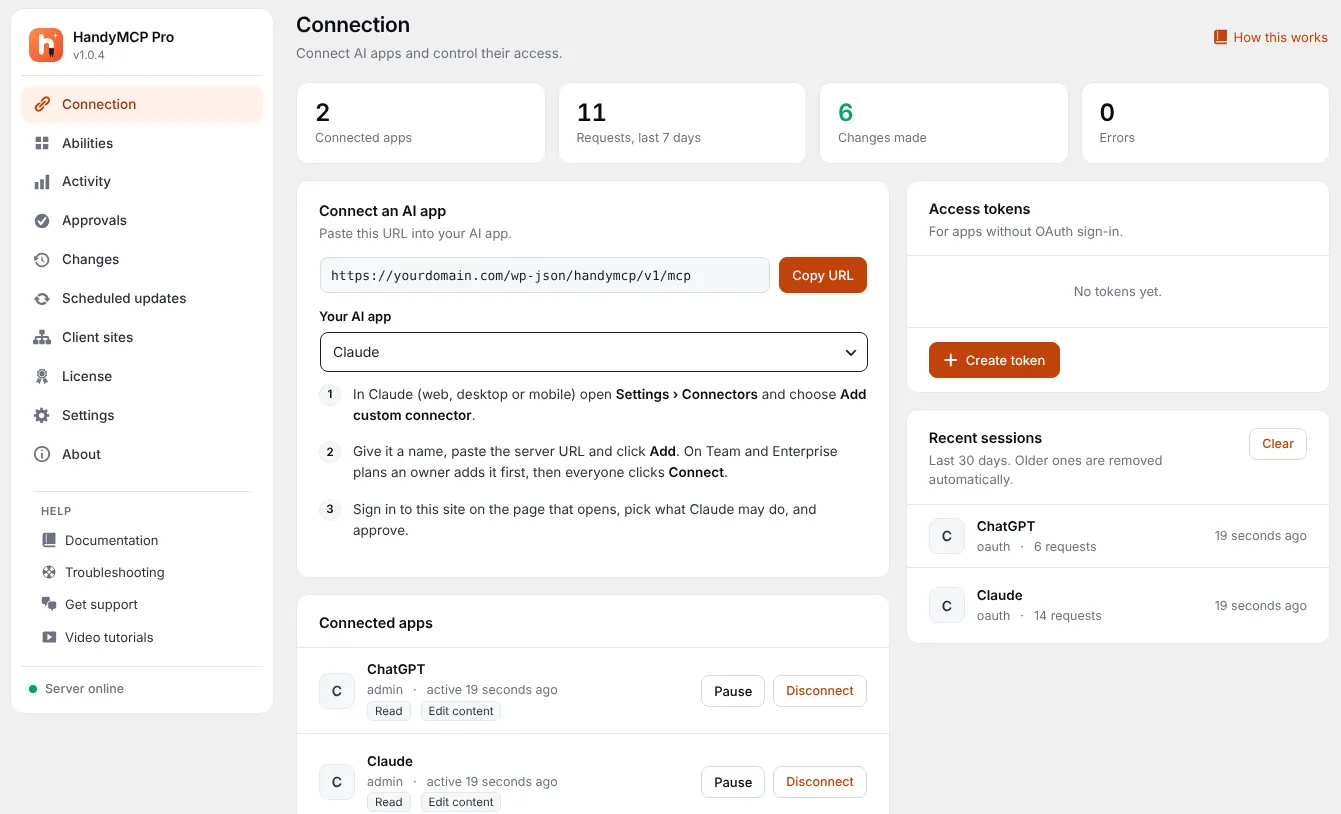
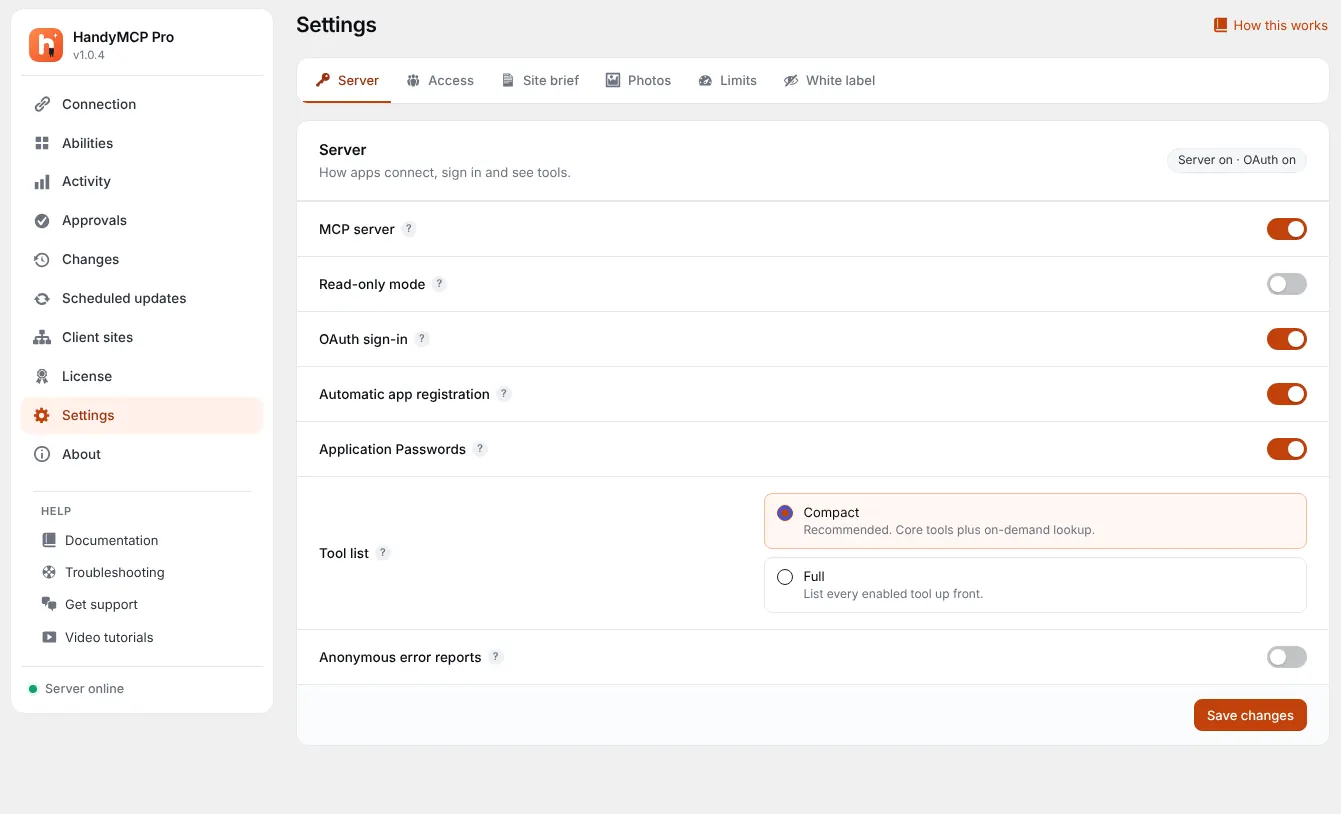
Quick answer: Make sure your MCP plugin supports both MCP 2026-07-28 and the older versions. HandyMCP 1.0.3 and later does both on the same server URL, so ChatGPT and Antigravity (new version) and Claude and Cursor (older version) all work. After updating, remove the connector in your AI app and add it again.
What MCP versions are
MCP is like a shared language. Each version is dated, and the AI app and your site agree on which version to speak when they connect. You can read every version on the official MCP specification site.
Until now every version kept the same basic flow: the app says hello, your site answers with what it can do, and then they work together in a session. Versions added features along the way, such as better sign-in and structured tool results, but the shape of the conversation stayed the same. MCP 2026-07-28 is the first version that changes that shape.
The 5 big changes in MCP 2026-07-28
MCP 2026-07-28 removes the hello-and-session step. Every request now carries everything it needs on its own. That makes MCP simpler to host and scale, but it means servers have to answer in a new way. These are the changes that matter for WordPress owners.
1. A new discovery step
Instead of the old greeting, the app asks the server to describe itself in a new, strict format. ChatGPT rejects the connection if a single required field is missing. A plugin that only knows the old greeting simply never answers this request correctly.
2. Every answer needs a result type
Each response now has to say whether it is complete. Servers that leave it out fail with errors like “missing required resultType”. This is the error people see most often when their plugin has not been updated for MCP 2026-07-28.
3. Live updates use a new request
Apps can ask to be told when the list of tools changes. Some apps, Antigravity among them, disconnect completely if the server answers that request with “not found”. The plugin does not need to send live updates, but it does need to answer the request politely.
4. Stricter errors and headers
Unknown versions and mismatched details now have specific error codes, so apps can fall back cleanly instead of failing. Requests also carry a few new headers that the server is expected to check.
5. Sign-in details
The sign-in part of MCP 2026-07-28 prefers apps that identify themselves with a public description file, and expects the server to confirm its identity on every sign-in. Older registration still works, so existing connections are not affected.
Which AI apps use which version
| App | MCP version (as of October 2026) |
|---|---|
| ChatGPT | MCP 2026-07-28 |
| Google Antigravity | MCP 2026-07-28 |
| Claude (web, desktop, Claude Code) | Older version, with MCP 2026-07-28 support rolling out |
| Cursor | Older version |
Apps update quickly, so treat this as a snapshot. The point is that for now your site has to speak both versions, and will probably need to for months while every app catches up.
Symptoms of a plugin that does not support MCP 2026-07-28
- ChatGPT shows the connection as invalid, or tools never load, while Claude works.
- Antigravity connects and then disconnects straight away.
- Tool calls fail with a “resultType” message.
- Everything worked last month and nothing changed on your site.
If you see one of these, the cause is almost certainly the plugin, not your host or your settings. Updating the plugin is the fix.
What HandyMCP does
HandyMCP 1.0.3 serves both eras from the same server URL. Apps that speak MCP 2026-07-28 get the new format: the discovery answer ChatGPT expects, a result type on every response, and a proper reply to the live updates request so Antigravity stays connected. Apps that still use the older version keep the familiar session flow. You do not choose anything; the plugin detects which version each request uses.
It also answers unknown future versions with a clear error that lists what it supports, so an app can fall back instead of failing.
What to do on your site
- Update your MCP plugin. For HandyMCP, that is 1.0.3 or later.
- In each AI app, remove the connector for your site and add it again, so it negotiates the version afresh.
- Run the connection check under HandyMCP > Connection to make sure nothing else blocks the app.
- Ask each app a simple question, such as “Which theme is active on my site?”, to confirm it works end to end.
Why the protocol changed
The old session flow worked well for apps running on your own computer, but it was awkward for apps that run in the cloud. A session means the server has to remember each app between requests. When an AI provider spreads requests across many machines, keeping that memory in sync is expensive and fragile.
By making every request self-contained, the new version lets AI providers send any request to any machine. For your WordPress site, that is good news in the long run: a stateless protocol is a natural fit for PHP, which handles each request on its own anyway. The short-term cost is that plugins had to be rewritten to speak it.
A plain-English comparison
| Topic | Older versions | MCP 2026-07-28 |
|---|---|---|
| Starting a connection | App says hello, server answers with its abilities | App asks the server to describe itself, no hello |
| Sessions | Server remembers the app between requests | No sessions; every request stands alone |
| Responses | Result only | Result plus a result type on every answer |
| Tool list changes | Sent over an open stream | App asks for updates with a separate request |
| Errors | General error codes | Specific codes for version and header problems |
| Sign-in | Automatic registration | Prefers a public app description, still accepts registration |
How to check which version your app uses
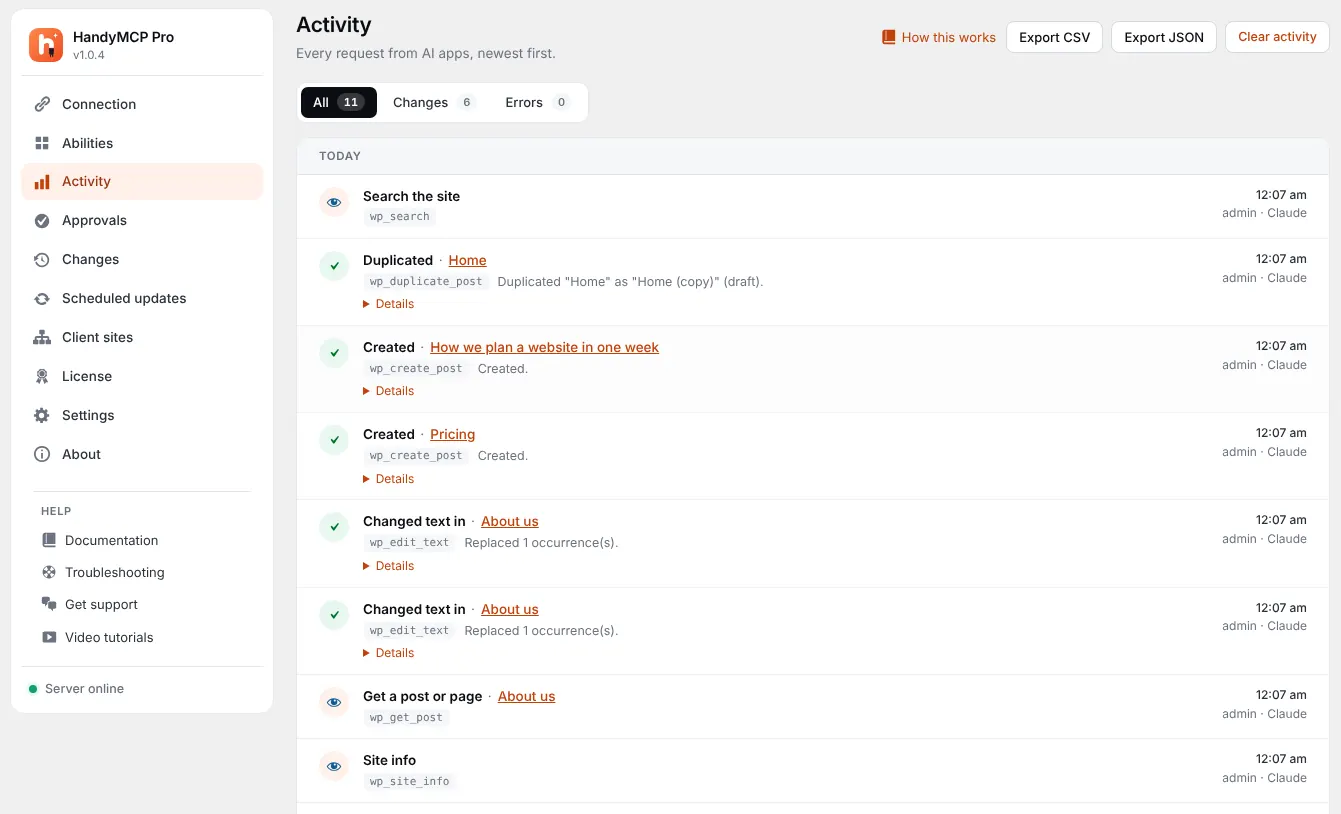
You do not need to know the version to use HandyMCP, but it can help when something goes wrong. Open HandyMCP > Activity after an app has made a few requests. Each entry shows which app made the request, and the details show the protocol version it used. If ChatGPT shows MCP 2026-07-28 and Claude shows an older date, everything is working as expected.
If an app’s requests do not appear in the activity log at all, the problem is not the protocol version. Something in front of WordPress, such as a firewall or cache, is stopping the requests. Our guide to WordPress MCP connection fixes covers those cases.
What this means for the future
Protocol versions will keep coming. The good news is that the new version was designed with change in mind: it has clearer version negotiation and clearer errors, so future updates should cause fewer surprises than this one did.
A few practical takeaways:
- Keep your MCP plugin updated. Protocol support lives in the plugin, so an outdated plugin is the main risk.
- Prefer plugins that support several versions at once. AI apps move at different speeds, and your site has to work with all of them.
- Do not panic when one app breaks and another works. It is usually a version difference, and the fix is a plugin update.
- Re-add connectors after big updates. It costs a minute and clears any cached negotiation.
For developers: what a dual-era server has to do
If you build your own MCP server on WordPress, the work for MCP 2026-07-28 breaks down roughly like this:
- Detect the era of each request from the protocol version in the request metadata and headers, and route it to the right handler.
- Implement the new discovery request with every field ChatGPT treats as required, and nothing it rejects.
- Add a result type to every result on the new path, including tool results that report a business error.
- Answer the subscription request with an acknowledgement and a clean close, even if you never send updates.
- Return the new specific error codes, with a JSON-RPC body, so clients can fall back correctly.
- Keep the old initialize and session flow untouched for apps that have not moved yet.
It is a meaningful amount of work, which is why several plugins have not caught up yet.
Error messages you might see, and what they mean
When a plugin and an app disagree about the protocol, the error messages are rarely friendly. Here is a translation of the ones people run into most:
- “Invalid result for tools/call: missing required resultType”. The app speaks MCP 2026-07-28 and the server answered in the old format. Update the plugin.
- “Unsupported protocol version”. The app asked for a version the server does not know. A good server lists the versions it supports in the error, and the app tries one of those instead. If the connection still fails, the plugin is too old for that app.
- “Header mismatch”. The request carried a header that did not match its body, often because a proxy or security plugin rewrote a header on the way. Check anything that sits between the app and WordPress.
- Connection drops straight after connecting. Typical for Antigravity when the server answers the live updates request with “not found”. Update the plugin.
- “Connector is invalid” in ChatGPT. Usually the discovery answer is missing a field ChatGPT requires. Update the plugin, then remove and re-add the connector.
None of these are caused by your content, your theme or your hosting plan. They are all about the conversation between the app and the plugin.
Testing each app after you update
After updating to a plugin that supports MCP 2026-07-28, test every app you use, not just the one that was failing. It takes a few minutes and saves surprises later.
ChatGPT
Turn on developer mode, remove the old connector and add your server URL again. Sign in on your site when asked. Then ask ChatGPT to list your five most recent posts. If it returns titles, it is talking MCP 2026-07-28 correctly.
Google Antigravity
Add the server URL in Antigravity’s MCP settings and sign in. Leave it connected for a minute. If it stays connected and lists your tools, the live updates request is being answered properly.
Claude
Claude should keep working without changes. Ask it something simple to confirm. When Anthropic switches Claude to MCP 2026-07-28, the same plugin handles it without any action from you.
Cursor and Claude Code
Both keep using the older version for now. Run one tool call from each to confirm nothing regressed.
Does MCP 2026-07-28 change what the AI can do on my site?
No. The protocol version changes how the app and your site talk, not what the app is allowed to do. The tools are the same, the permissions are the same and the activity log looks the same. An app that could edit posts before can edit posts now, and an app limited to reading content is still limited to reading content.
There is one small improvement worth knowing about. Because MCP 2026-07-28 has no sessions, a dropped connection no longer leaves half-finished state behind on the server. If your Wi-Fi drops in the middle of a request, the next request simply starts fresh. In practice this makes long jobs from ChatGPT a little more reliable.
Hosting and performance
Some site owners worry that a new protocol means more server load. For MCP 2026-07-28 the opposite is closer to the truth. Without sessions, your server does not need to keep anything in memory between requests, and there are no long-lived connections holding a PHP worker open.
A few things are worth checking on busy sites:
- Cache rules. Make sure your cache plugin and CDN do not cache the MCP server path. HandyMCP sends no-cache headers, but some setups ignore them.
- Rate limits. If your host or firewall rate-limits the REST API, allow a reasonable number of requests to the MCP path. An AI app can make several requests per task.
- Timeouts. Very large jobs, like rebuilding a long page, take a few seconds. A PHP time limit of 60 seconds or more is comfortable.
None of these are new with MCP 2026-07-28, but a protocol update is a good moment to check them.
A short timeline
- Before July 2026: every major AI app used the session-based versions of MCP.
- July 2026: MCP 2026-07-28 is published.
- Weeks after: ChatGPT and Google Antigravity switch. Plugins that only support the older flow start failing with those apps.
- October 2026: Claude and Cursor still use the older version, with support for the new one rolling out. Servers need to support both.
Expect a mixed period for a while yet. Supporting both versions is the safe choice until every app you use has switched.
If you manage sites for clients, it is worth telling them about this change in a sentence or two. Clients who use ChatGPT may have noticed it stop working and assumed their site was broken. A quick note that the plugin has been updated for the new protocol, and that they should re-add the connector, saves a support ticket and builds trust.
What to ask before choosing an MCP plugin
If you are still choosing a WordPress MCP plugin, the protocol change is a useful test of how well a plugin is maintained. A few questions worth asking:
- Does it support MCP 2026-07-28 and the older versions at the same time? Supporting only one means some of your apps will fail.
- How quickly did it ship support? Check the changelog. A plugin that took months to react will probably react slowly next time too.
- Does it run on your own site? Plugins that rely on a hosted relay depend on someone else updating their servers as well.
- Can it tell you what is wrong? A built-in connection check saves hours when something breaks.
Our comparison of WordPress MCP plugins looks at the main options against these points.
MCP 2026-07-28 FAQ
Do I need to change my server URL for MCP 2026-07-28?
No. The URL stays https://your-site.com/wp-json/handymcp/v1/mcp. Both versions use it.
Will my existing Claude connection break?
No. Claude keeps working with the older version, and will switch to MCP 2026-07-28 by itself when Anthropic finishes rolling it out.
Is MCP 2026-07-28 less secure?
No. Sign-in and permissions work the same way. Every request is still checked against what you approved and what your WordPress role allows.
Which WordPress MCP plugin supports MCP 2026-07-28?
HandyMCP supports it from version 1.0.3, in the free plugin and in Pro, alongside the older versions on the same URL.
Why does ChatGPT fail when Claude works?
ChatGPT already uses MCP 2026-07-28 while Claude still uses an older version. A plugin that only speaks the older version works with Claude and fails with ChatGPT.
Related: what MCP is, in plain English, connect ChatGPT to WordPress and the best WordPress MCP plugins compared.