
Most WordPress sites have the same quiet SEO problem. A handful of pages have careful titles and meta descriptions, and the rest have whatever the SEO plugin guessed, or nothing at all. Fixing it by hand means opening every page, reading it, writing two lines and saving. On a site with 80 pages, that is a lost afternoon, and the last 40 descriptions always sound the same.
With an AI app connected to your site, you can hand over the slow part and stay the editor. This guide shows how to write AI SEO titles in WordPress, plus meta descriptions, focus keywords and noindex settings, using Claude or ChatGPT with HandyMCP and Yoast SEO or Rank Math.
Quick answer: Connect Claude or ChatGPT to WordPress with HandyMCP and ask: “List pages and posts with no SEO title or meta description, show me what you would write in a table, then save the ones I approve.” The AI reads each page, writes a title under 60 characters and a description under 155, and saves them in Yoast SEO or Rank Math. HandyMCP Free can save up to 50 at once, and one undo reverts the whole run.
Why titles and meta descriptions still matter
The SEO title is usually the blue link people see in search results. The meta description is often the short text under it. Search engines may rewrite either one, but a clear, accurate title and description give them a good option to show and give searchers a reason to click your result instead of the next one. Google explains how it picks these in its documentation on title links and snippets.
The common problems are always the same:
- Missing descriptions, so the search engine picks a random sentence.
- Titles that are just the page name, such as “Services”.
- Duplicate titles across several pages.
- Titles too long to show in full.
Why AI is good at this job
This is repetitive writing that depends on reading each page. That is a good fit for AI. It reads the page, finds what it is really about and writes something specific to it. It also follows rules without getting tired: character limits, keyword position, tone. What it cannot do is know your business goals, so you set the rules and approve the output.
What you need
- WordPress 6.2+, PHP 7.4+, HTTPS and an administrator account.
- Yoast SEO or Rank Math active. HandyMCP writes to whichever one you use.
- HandyMCP installed (see install) and an AI app connected. Guides: Claude, ChatGPT, Cursor.
Editing SEO titles, descriptions, focus keywords and noindex is in the free version, including bulk saves of up to 50 items with one undo.
Step by step: fill every missing title and description
1. Find the gaps
Which published pages, posts and products have no SEO title or no meta description?
List them with their URL.
This only reads, so it is safe to run first.
2. Set the rules
Give the AI clear, checkable rules. For example:
Rules for SEO titles: under 60 characters, main topic near the start,
end with " | Your Brand". No clickbait.
Rules for meta descriptions: under 155 characters, plain and specific,
say what the page offers and give one reason to click. No dashes.
Write for [audience].
3. Preview before saving
Show me a table with URL, current title, new title, new description
and character counts. Do not save anything yet.
Read the table. Fix anything off by replying in plain words, such as “Row 4 is wrong, the page is about wedding cakes, not birthday cakes.”
4. Save in one batch
Save the titles and descriptions I approved, except rows 7 and 12.HandyMCP saves up to 50 at a time. One undo reverts the whole batch if you change your mind.
5. Spot check
Open two or three pages in Yoast or Rank Math and confirm the fields are set. Purge the cache if you use one.
Variations for different sites
Small business site
“For each service page, include the service and the town, for example ‘Wedding Cakes in Leeds’.”
Blog
“Keep titles close to the post’s H1 but shorter. Descriptions should say what the reader will learn.”
WooCommerce store
“For products in [category], use the product name and one key feature in the title. Mention price only if it is on sale.” For large stores, do one category at a time.
Multilingual site
WPML and Polylang support is in Pro. Ask for each language separately and name the language in the rules.
More SEO jobs to hand over
- Focus keywords: “Suggest a focus keyword for each service page and save it.”
- Duplicates: “Find SEO titles used on more than one page and make each unique.”
- Too long: “Shorten titles over 60 characters without losing the main topic.”
- Noindex: “Mark the thank-you and order confirmation pages as noindex.”
- Alt text: “Add alt text to images that have none, describing what is in each image.”
- Audit (Pro): “Run an SEO audit on the homepage and list the top five issues.”
- Redirects (Pro): “Add a redirect from [old URL] to [new URL].”
Find more ready prompts in our list of Claude prompts for WordPress and the prompt library.
Common mistakes
- No preview. Always ask for a table first.
- Keyword stuffing. One clear topic per title reads better than three keywords.
- Same pattern everywhere. If every description starts “Discover our”, ask for variety.
- Promising what the page does not say. Tell the AI to use only facts from the page.
- Overwriting good titles. Say “only fill empty fields” if you are happy with existing ones.
Troubleshooting
- The AI says no SEO plugin is found. Check Yoast SEO or Rank Math is active.
- Changes do not show on the page. Purge your cache, then view the page source.
- Search results still show the old text. Search engines update over time, and they may rewrite your text anyway.
- The batch stops partway. Large runs are saved in groups of up to 50. Ask it to continue with the rest.
- Connection problems. See WordPress MCP not connecting fixes.
Safety and undo
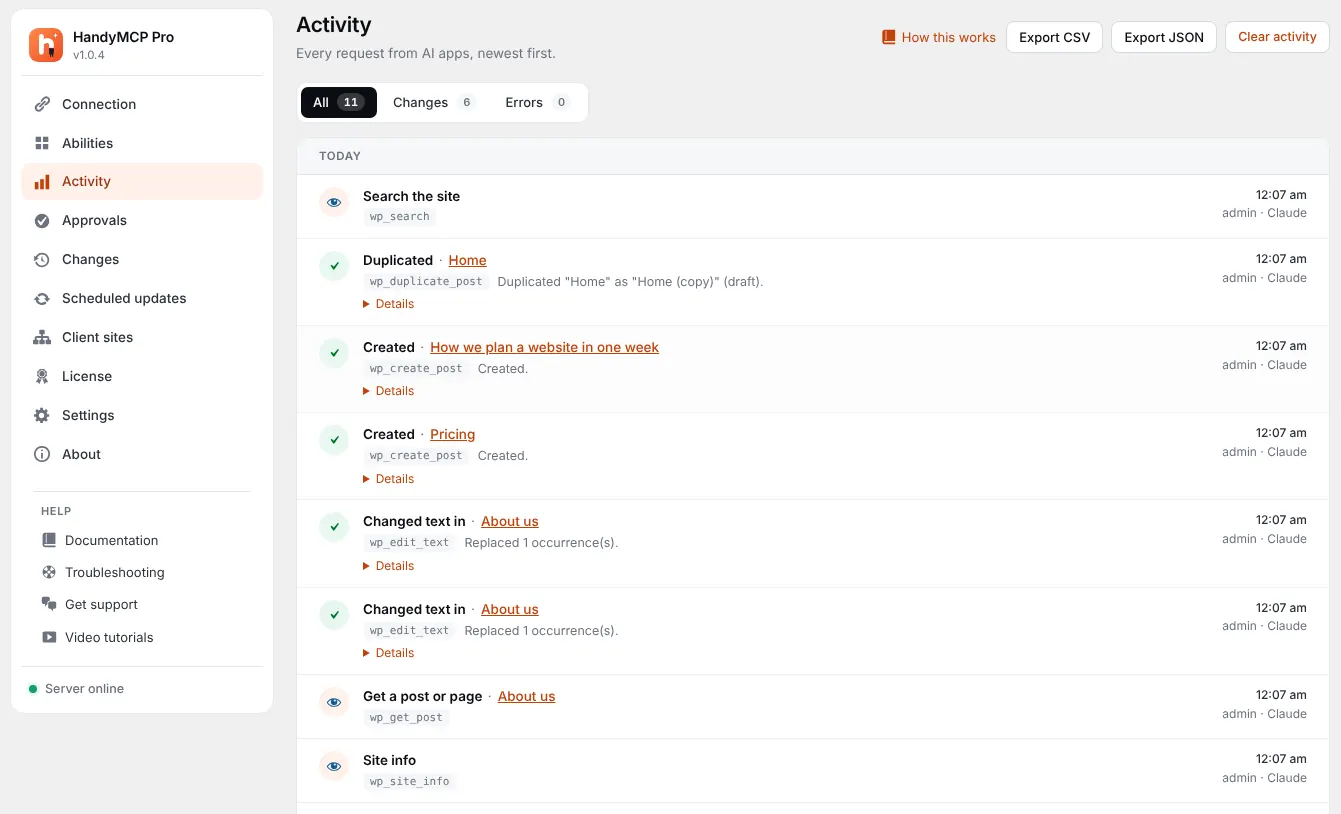
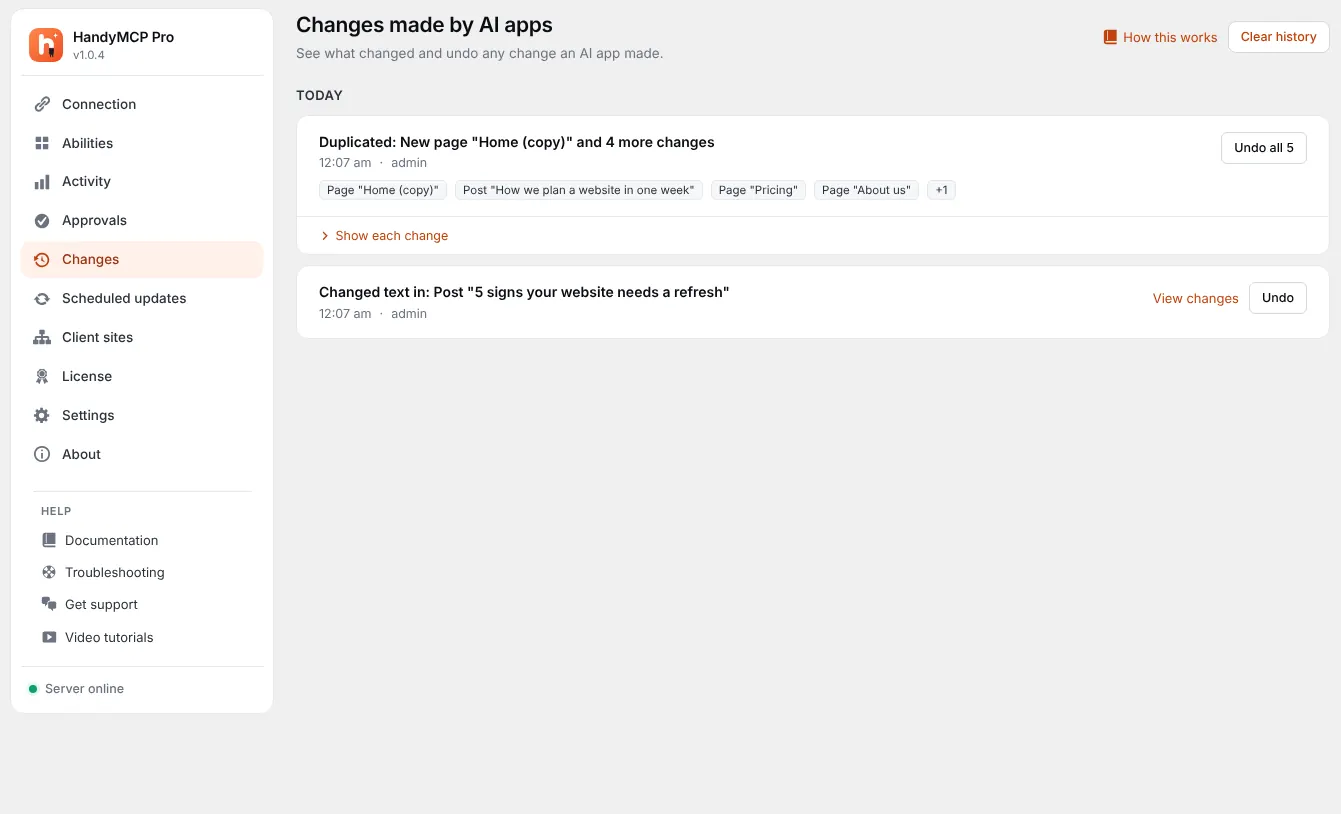
Every change is saved first and returns a history ID. A bulk SEO run is one task in Undo history, so you can revert it in one click, or revert single pages. SEO fields are covered by undo in both Free (last 20 changes) and Pro (full history). Read more in how to undo AI changes in WordPress.
If you want the AI to only suggest and never save, turn on read only mode on the Abilities screen and copy its suggestions yourself.
Free vs Pro for SEO
| Task | Free | Pro |
|---|---|---|
| SEO titles, descriptions, focus keywords, noindex | Yes | Yes |
| Bulk save up to 50 with one undo | Yes | Yes |
| Image alt text | Yes | Yes |
| SEO audits | No | Yes |
| Redirects, search and replace | No | Yes |
| WPML and Polylang | No | Yes |
| Undo history | Last 20 changes | Full |
See plans on the pricing section.
Frequently asked questions
Does it work with Rank Math and Yoast?
Yes. HandyMCP writes to whichever SEO plugin is active, Yoast SEO or Rank Math.
Will Google penalise AI-written meta descriptions?
Google’s guidance focuses on whether content is helpful and accurate, not on who wrote it. Review every description so it matches the page.
Can I undo the changes?
Yes. A bulk SEO run is one task in Undo history, and you can also undo single pages.
How many pages can it do at once?
Up to 50 per batch. For bigger sites, ask it to work through the list in batches.
Will it overwrite titles I wrote myself?
Only if you ask. Say “only fill empty fields” to keep your existing work.
Is this in the free version?
Yes. SEO titles, descriptions, focus keywords, noindex and bulk saves are free. Audits and redirects are Pro.
Can I use ChatGPT instead of Claude?
Yes. Any MCP app connected to your site works, including ChatGPT, Cursor and Claude Code.
Get set up with the install guide, then run the “find the gaps” prompt above on your own site.